
Taking part in research should not be a one-way street. TrialPilot keeps your study history in one place and, when a study completes and results are available, writes those results so you can actually read them — not as a spreadsheet, and not in jargon.
Three different kinds of results#
- Personal trends show patterns in your own data.
- Individual test results come from specific tests or samples, if the team plans to return them.
- Overall study findings summarize what the study learned across participants.
Review each study’s return plans, timing, and conditions before joining. A plan to share results is not a guarantee of personal answers or a diagnosis.
Your studies, in one place#
Open More > Your studies to see the studies you are part of and the ones you have finished. Active and completed studies live together on one screen, so you never have to hunt for something you did months ago.
From Your studies you can:
- Check on a study you are currently taking part in.
- Revisit a study you completed earlier.
- Open completed-study results when they are available.

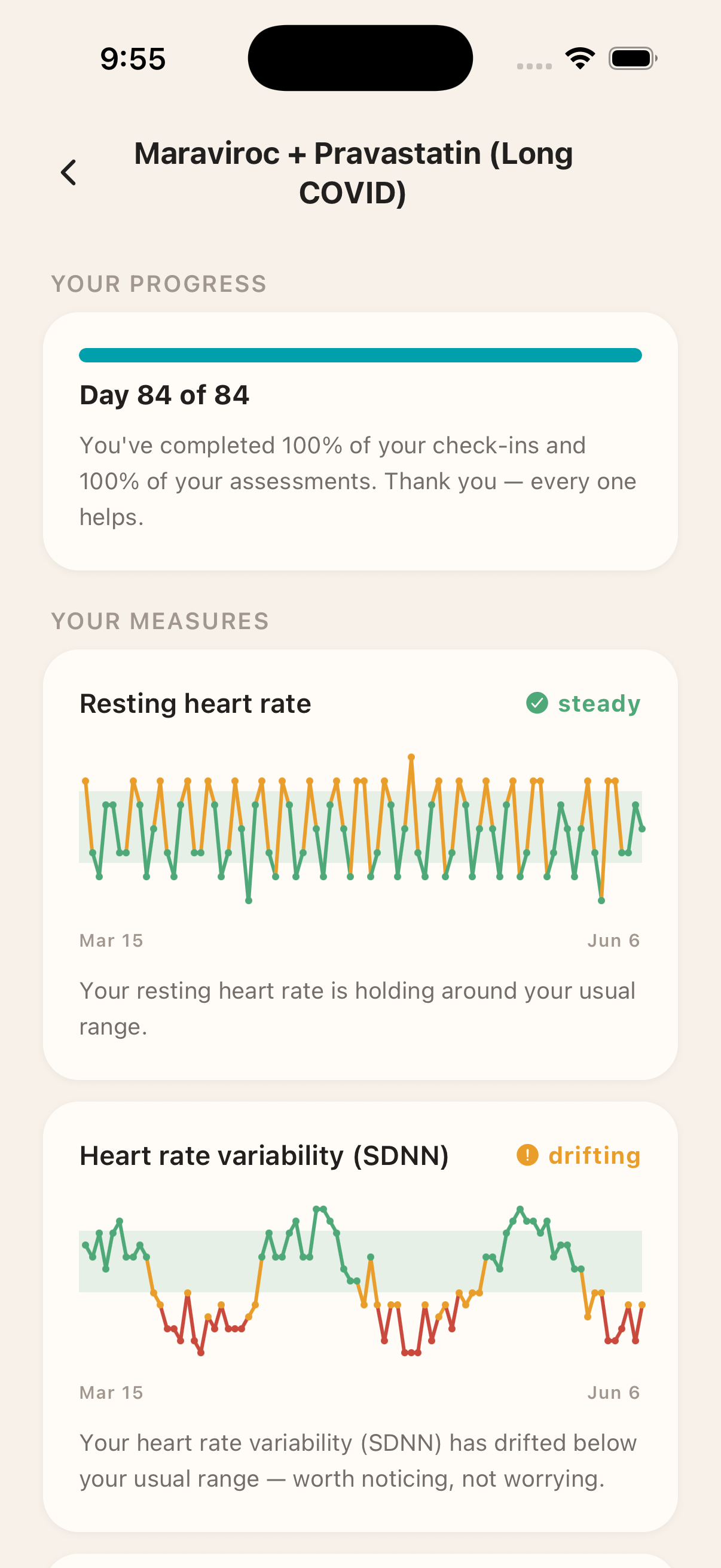
Completed-study results#
When a study is complete and results are available, you can open them from More > Your studies — and come back to them whenever you like. Results do not disappear after you close them.
Results are written to be understandable. The goal is that you can read what happened during your study without needing a statistics background: what was measured, how your data moved, and what that can and cannot tell you.
Results are not medical advice
What results can honestly say#
TrialPilot is deliberately careful about what it claims. Your results describe patterns in your own data over the course of the study — how you compared to yourself over time, not how you rank against anyone else.
That honesty works in both directions:
- When a pattern is there, results describe it plainly and in context, without inflating it into proof of more than the data can support.
- When there is not enough data, the app says so rather than guessing. A result that reads “there is not enough data to say” is the app being truthful with you — not a failure on your part.
Missed days play into this too. Gaps in your data are expected — especially with energy-limiting illness, where a hard stretch is itself part of the story. Results work with the data you were able to give, and no result will ever scold you for the days you could not.
Related pages#
If you like seeing what your data adds up to, you may also want to run a structured experiment of your own — see Self-trials. Self-trial results follow the same honest approach: clear when there is a pattern, and clear when there is not enough data to say.
To watch your data while a study is still running, see Trends, pacing, and readiness.