
Joining a study in TrialPilot has three parts: finding the study, reading what it asks of you, and deciding whether to give consent. Each part is designed so you always know what you are agreeing to — and so nothing happens without your say-so.
Joining is always your choice
Four ways to find a study#
You can reach a study in any of these ways:
- Tap a study link shared by a research team. If the app is installed, join links open the app directly and take you straight to the study.
- Scan a study QR code — for example, from a flyer, a clinic, or a study website.
- Enter an 8-character invite code for a private study.
- Browse public studies in the app, when a study team has made their study discoverable.
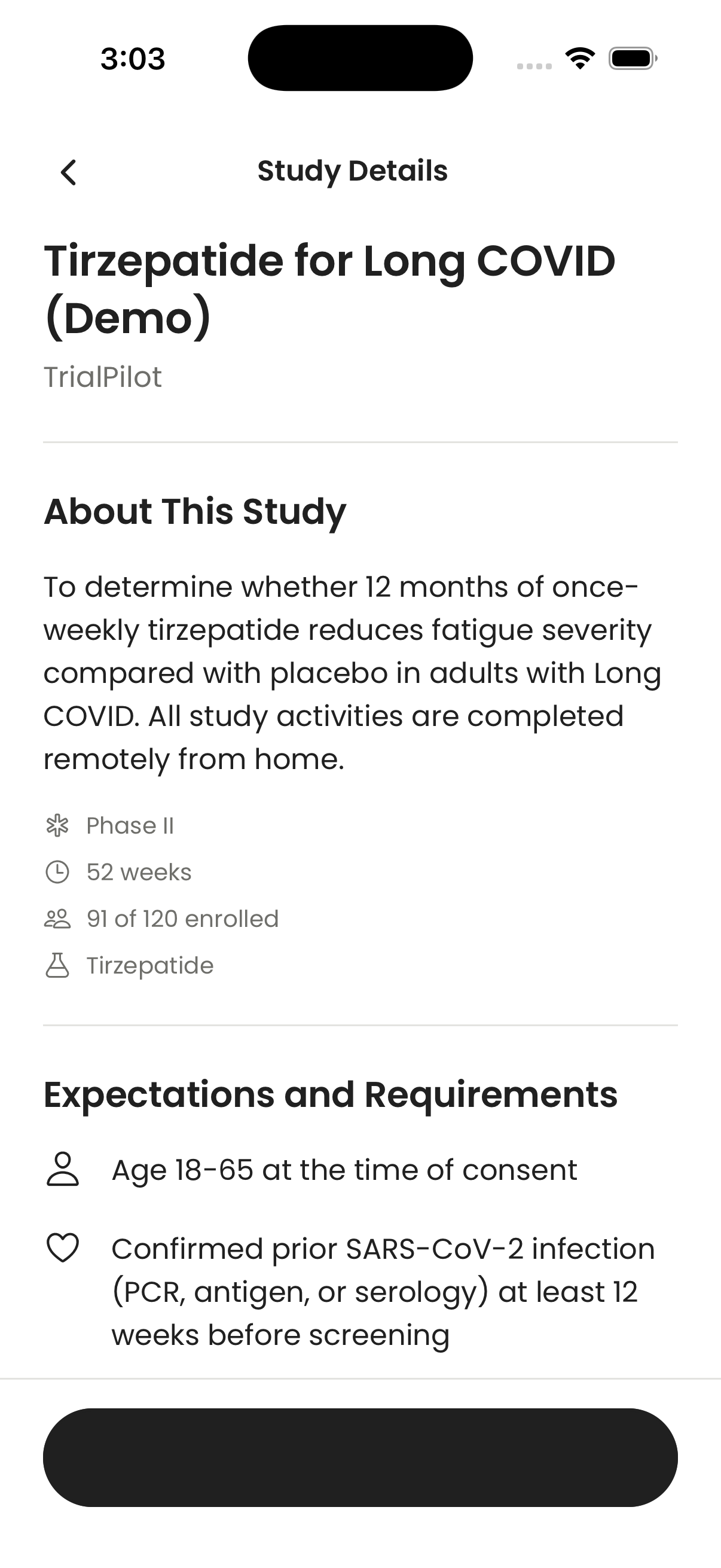
All four routes lead to the same place: the study details screen, where you can read everything before deciding.
Start with what works for you#
Discovery filters can help you compare symptom interests, remote arrangements, scheduled weekly time, planned results, and activity channels. Choose Remote / from home or Remote with local services, such as a nearby blood draw. Leave both unselected to browse both arrangements. You do not need to live near the research team, but study eligibility and service coverage still apply.
What matters to you is optional. Your app goals and research interests are separate from your diagnoses or symptom tracking. You can choose to use selected research interests to order relevant studies, and edit them later without repeating onboarding. These preferences do not determine eligibility.
Check the busiest week as well as the typical week. Time estimates exclude travel, waiting, kit handling, and recovery. Missing details are marked as unknown; ask the study team before relying on them.
Review the study details#
Before joining, read the study information carefully. A study may explain:
- What it is testing.
- What you will be asked to do.
- How long participation lasts.
- Whether wearable or health data is requested.
- How the study team may follow up with you.
If a study is not currently enrolling, the app tells you before you try to join — you will not fill anything in only to hit a closed door.
Give consent#
Before enrollment, TrialPilot shows a consent screen. This is the formal agreement between you and the study — read it carefully, and choose whether to enroll. It is fine to take your time, and it is fine to say no.
Consent is recorded online at the moment you give it. If your connection drops partway through, the app asks you to reconnect before enrolling — it never silently saves your consent to send later. That way, there is never doubt about when and whether you agreed.
Connect health data when asked#
Some studies ask for wearable or phone health data. TrialPilot supports Apple Health on iOS and Health Connect on Android where available.
The app may suggest connecting health data before you start, so that your existing history can count toward the study as baseline data. Connecting health data does not replace study consent — it is a separate choice, and it stays under your control. See Wearables and health data for what is read and how to manage it.
What happens right after you join#
Once you enroll, a few things happen:
- The study appears on your Home screen as your active study, with its tasks and reminders.
- You may be given baseline tasks — first questionnaires or measurements that capture your starting point before the study proper begins.
From there, your day-to-day rhythm is check-ins and assessments — covered in Check-ins and assessments.