





Wearables and personal trends
Everyday signals.
Personal context.
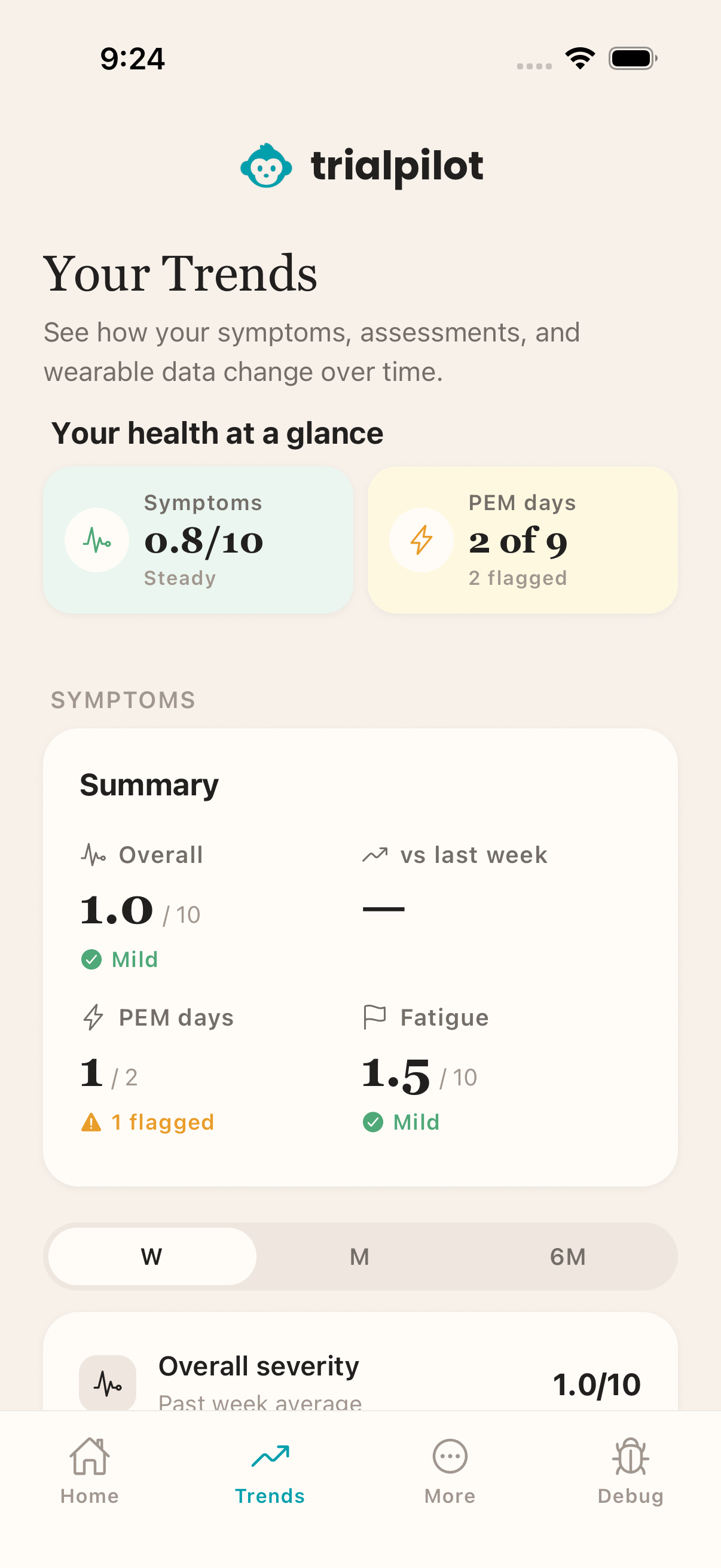
Share supported Apple Health and Health Connect records with permission. Review symptoms and within-person trends alongside what was actually collected.
Connect enrollment, consent, wearable data, check-ins, safety review, and results through a participant app and research workspace. Bring supported activities closer to home, with the study records your team needs for review.
Preview access: iOS TestFlight and Android testing sign-up.
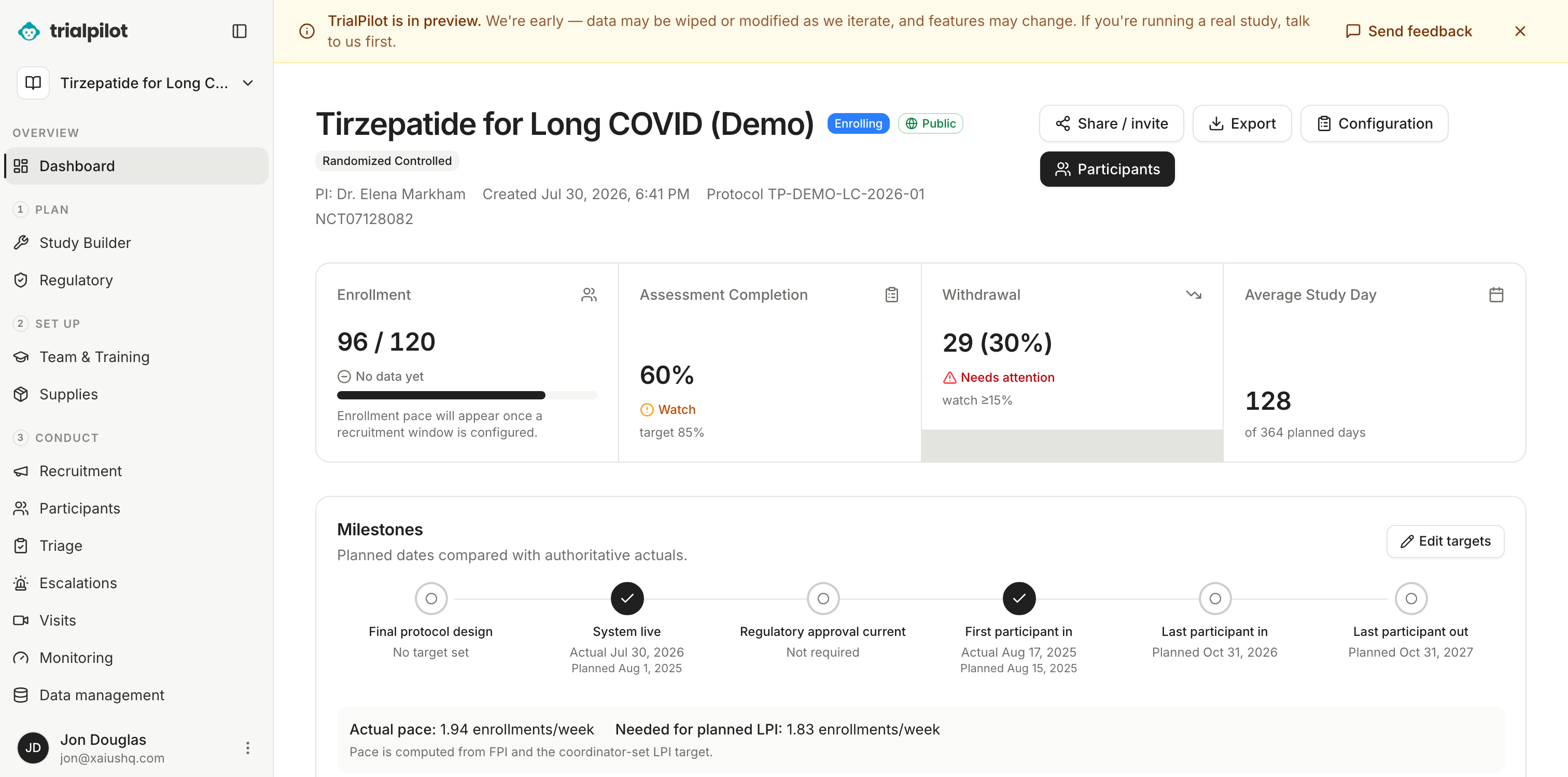
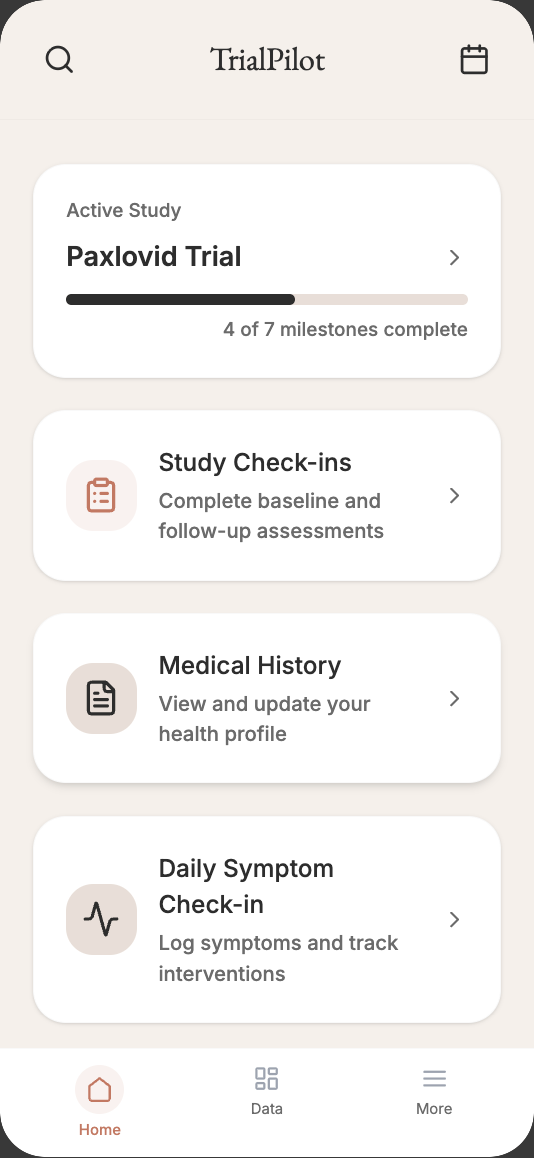
One study, two views
Participant and research views, together.
Three ways in
Some studies ship an investigational drug to your door. Some follow a therapeutic you and your clinician already chose. Some you design and run yourself. Placebo-controlled, observational, or n = 1 — review each path’s eligibility, consent, privacy, and oversight arrangements. A personal self-trial differs from an investigator-led clinical trial.
Randomized · Placebo-controlled
Some interventional studies arrange delivery of investigational treatment after screening and consent. They may use randomization and placebo controls. Your study team explains treatment, visits, check-ins, and safety arrangements before you join.
Browse open studiesObservational · Real-world data
Taking a therapeutic your clinician prescribed? An eligible observational study can collect check-ins and supported health records about that experience. Treatment decisions remain with you and your clinician; the study defines what it observes.
How patients take partN-of-1 · Single subject
No study to join yet? Structure a personal question around a routine or a change discussed with your clinician. Repeated observations, single-subject analysis, and uncertainty help you assess a pattern without treating it as proof of treatment effectiveness.
How self-trials workThe DCT journey
See exactly where TrialPilot supports a decentralized study, where the product has a distinctive advantage, and where sponsor-led work remains outside the platform.
TrialPilot DCT line
One continuous route from plan to proof
10 stops
Make the study operable before launch.
11 stops
Turn the protocol into participant-ready workflows.
13 stops
Run the study with a continuous view of risk and progress.
10 stops
Move cleanly from final visit to defensible evidence.
Every stop declares what TrialPilot covers, what remains sponsor-led, and the live product evidence behind the claim.
The participant experience keeps supported progress intact, keeps supported work moving through weak connections, and makes the next step clear. Less friction for people. More continuity for the study.
Save supported assessment progress, take a break, and resume within the study window. Check whether progress is saved on the device or received by the study.
Supported mobile check-ins, symptom reports, and study actions can queue on the device and synchronize when the connection returns. Consent and security-sensitive actions require a connection.
TrialPilot shows when your work is saved or waiting to sync, then gives you a clear way forward if something needs attention.
Connected platform
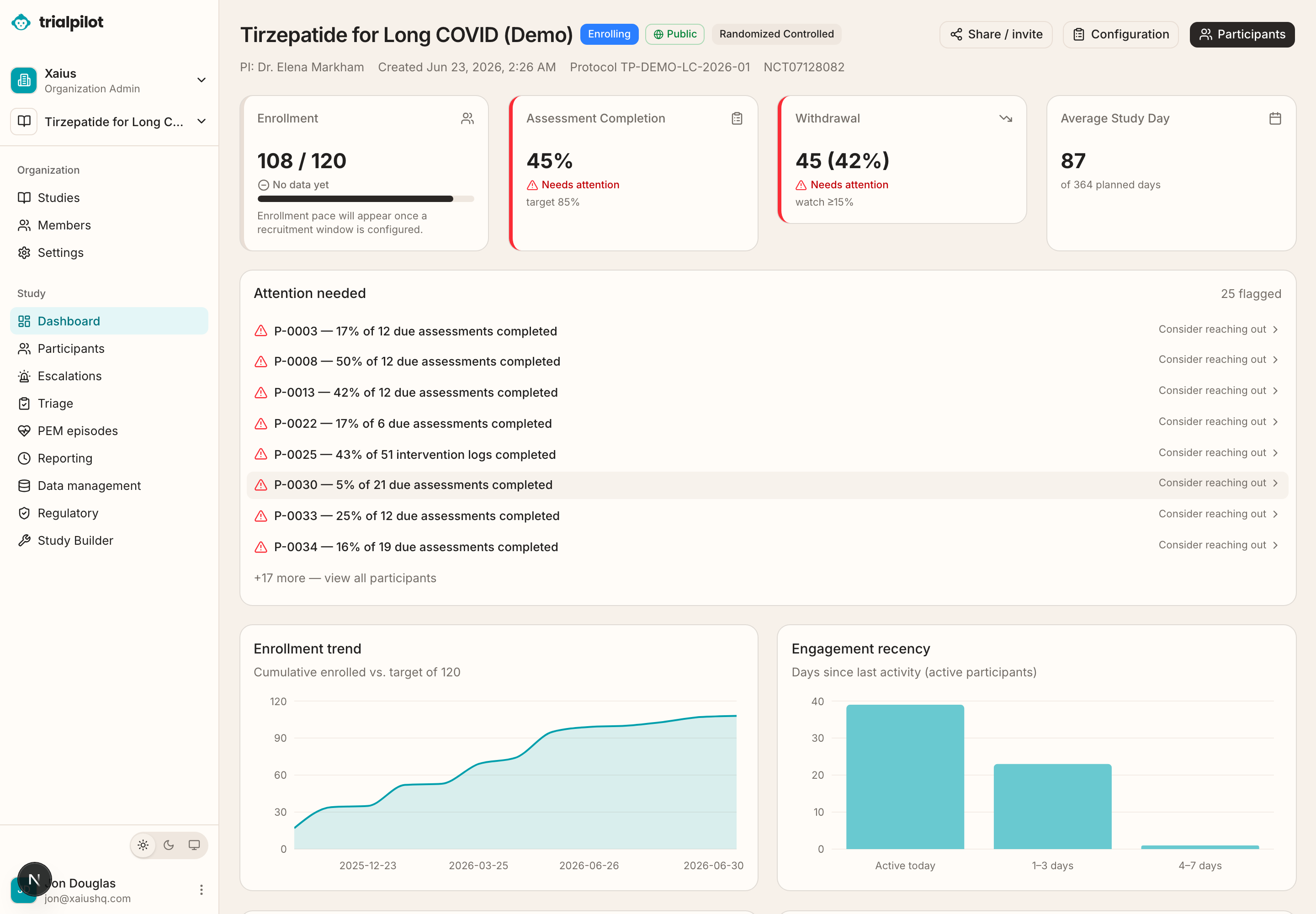
Researchers get a study workspace. Participants get a calm, guided app. Study records connect the two as data synchronizes, with de-identified coordinator views and context about freshness and missing observations.
Enrollment
Share a study link or QR code in an email, post, or clinic flyer. Participants open the study, review eligibility, and follow screening and consent. If an app install is needed, keep the study code and joining instructions to continue.
From invitation to enrollment
A study invitation opens the exact study in TrialPilot, where every participant can understand what is involved before choosing to enroll.
Invitation
Scan the invitation
Enrollment confirmed
You’re in the study
Consent signed · Study active
One link works in email, social, and print.
See the purpose, timeline, and eligibility first.
Consent is signed and the study becomes active in the app.
The platform
Illustrative workflow components; example records are not live study results.
Retention
Engagement analytics show completion and missing-data patterns, helping coordinators decide where to follow up. A signal does not establish that a participant will drop out.
Wearables
Bring together supported health records from Apple Health and Health Connect with participant reports. Measurements depend on the device, permissions, and synchronization.
Remote monitoring
Asynchronous check-ins and supported health sharing help people complete eligible activities from home. Study teams review the available information under their protocol.
Patient matching
Use study criteria, self-screening, and coordinator review to evaluate eligibility. Plan outreach and participant support deliberately; representative enrollment must be measured.
Global access
Bring eligible activities closer to rural and underserved communities. Study locations, approvals, equipment, language, and support needs still determine who can participate.
Beyond data collection
Go beyond questionnaires with participant reports, supported health records, safety workflows, and personal self-trials. Keep observations and their limits visible to the people interpreting them.
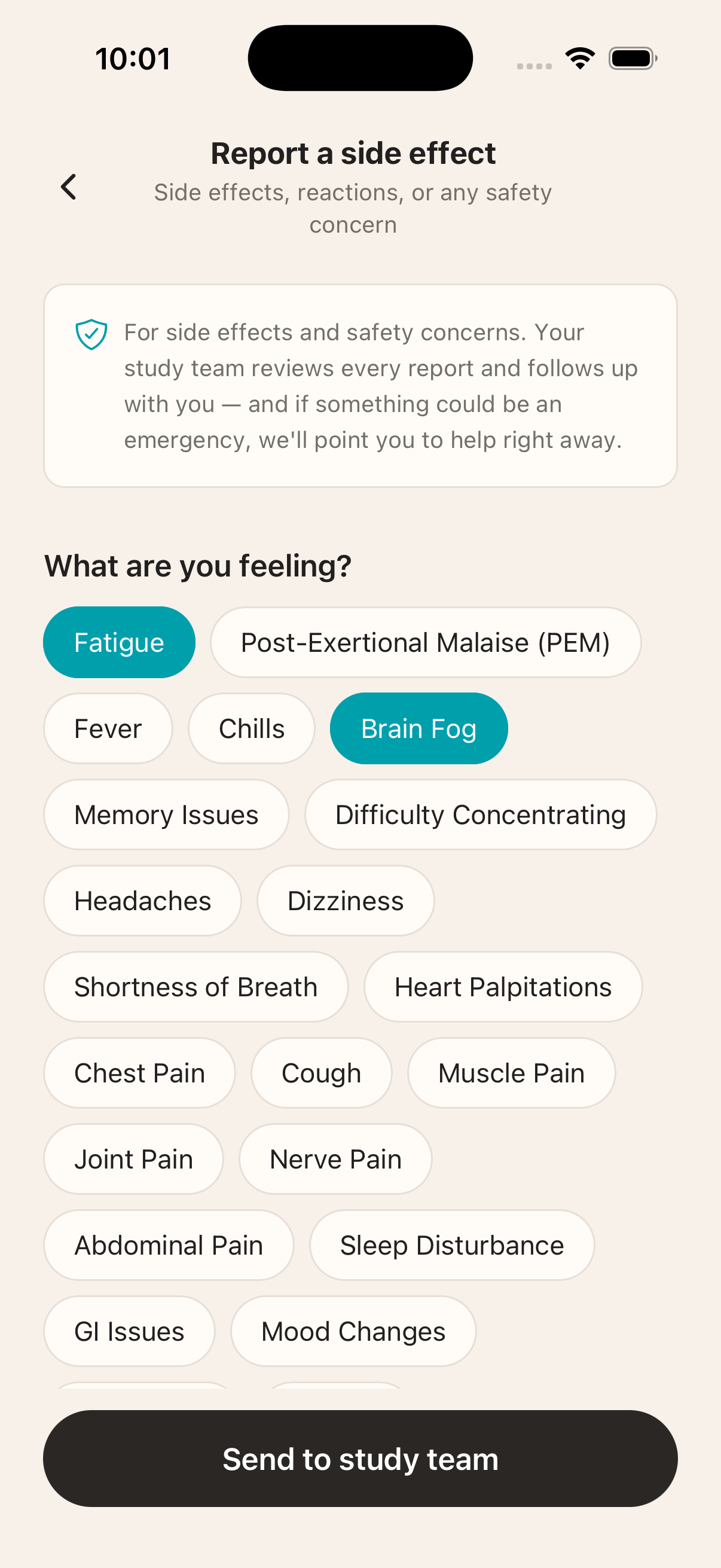
Record adverse events, review post-exertional symptom patterns, and explore personal pacing context alongside supported health data. Safety responses follow study procedures.
A structured single-subject study with repeated measures and analysis in the app. Read estimates alongside uncertainty and discuss treatment decisions with your clinician.
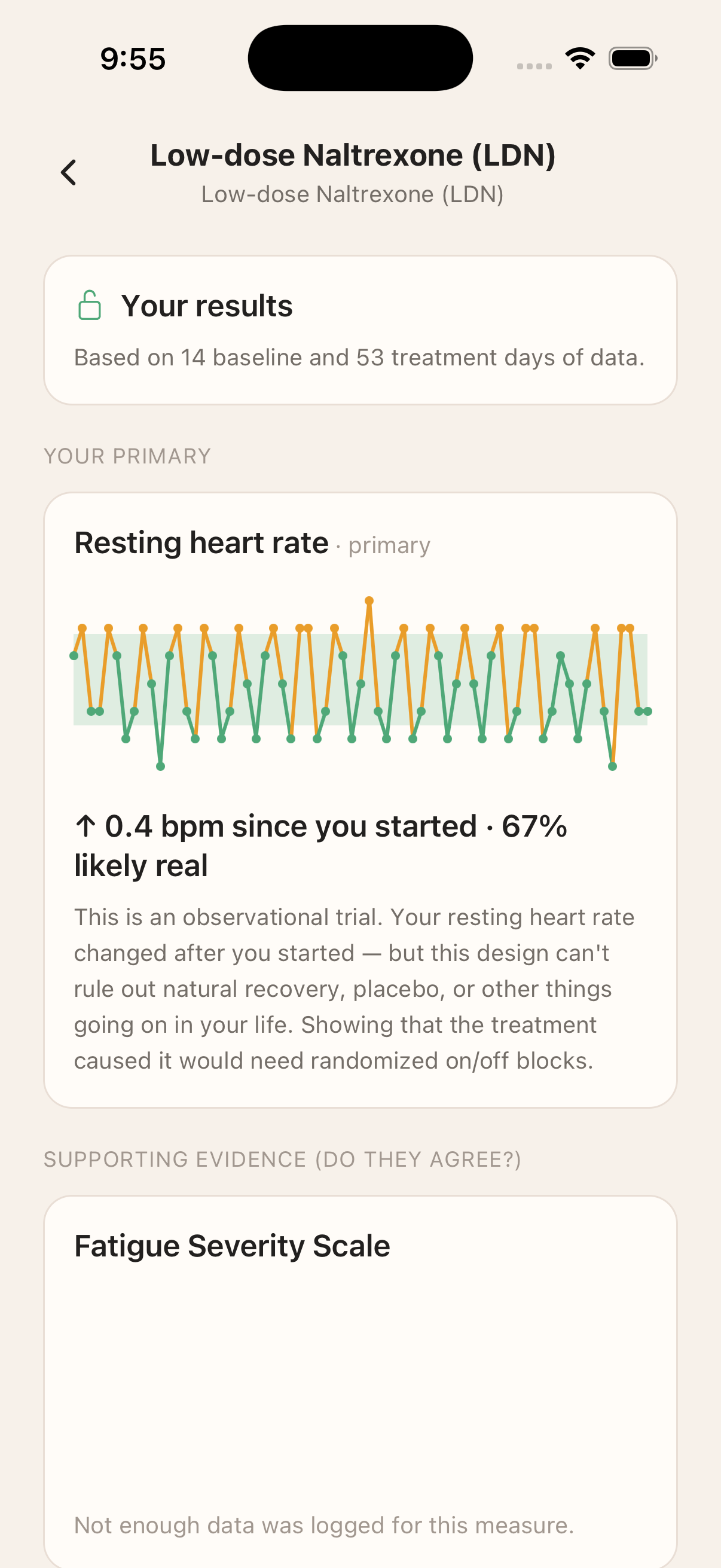
Review within-person results with data availability and uncertainty, and use study reporting instructions for safety concerns. A trend is not a diagnosis.
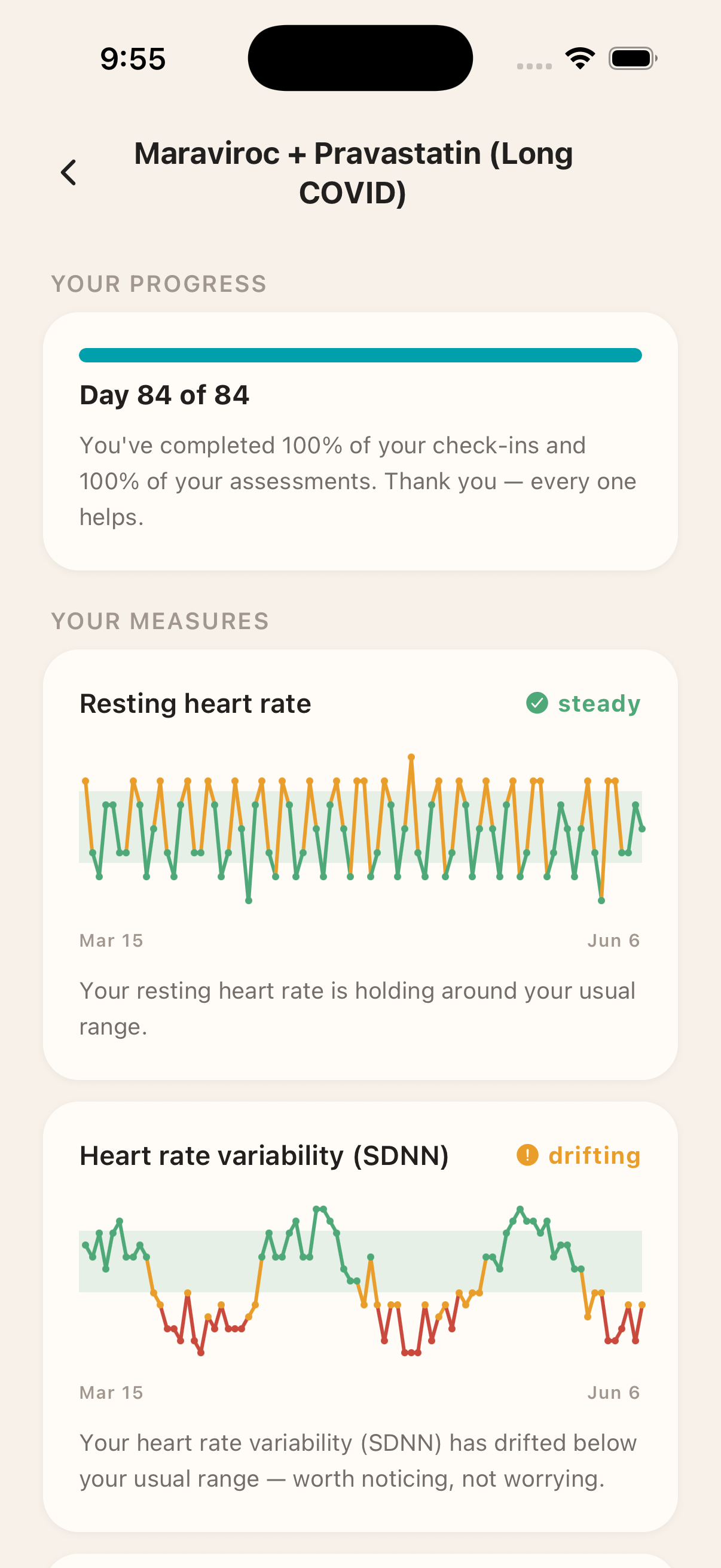
An illustrative within-person results screen. Available results depend on the study and what its team releases.
For researchers
Illustrative study workflows. Configure and qualify them for your protocol.
Adaptive & platform trials
Perpetual, multi-arm designs with response-adaptive randomization inside preset guardrails — and a blinding firewall so interim looks stay where they belong.
Integrations
Connect research tooling through available APIs and exports. EHR, laboratory, and vendor connections require separate scoping and validation.
Safety monitoring
Bring participant reports and available observations into safety review, with escalation and follow-up recorded under the study’s procedures.
Managed study data
Electronic data capture, edit checks, coding review, database locks, and supported CDISC exports. Licensed dictionaries require a separate connection; qualify outputs for the study.
02 / For the research team
The work changes as a study moves forward. Explore the workspace that keeps its configuration, people, and records connected.
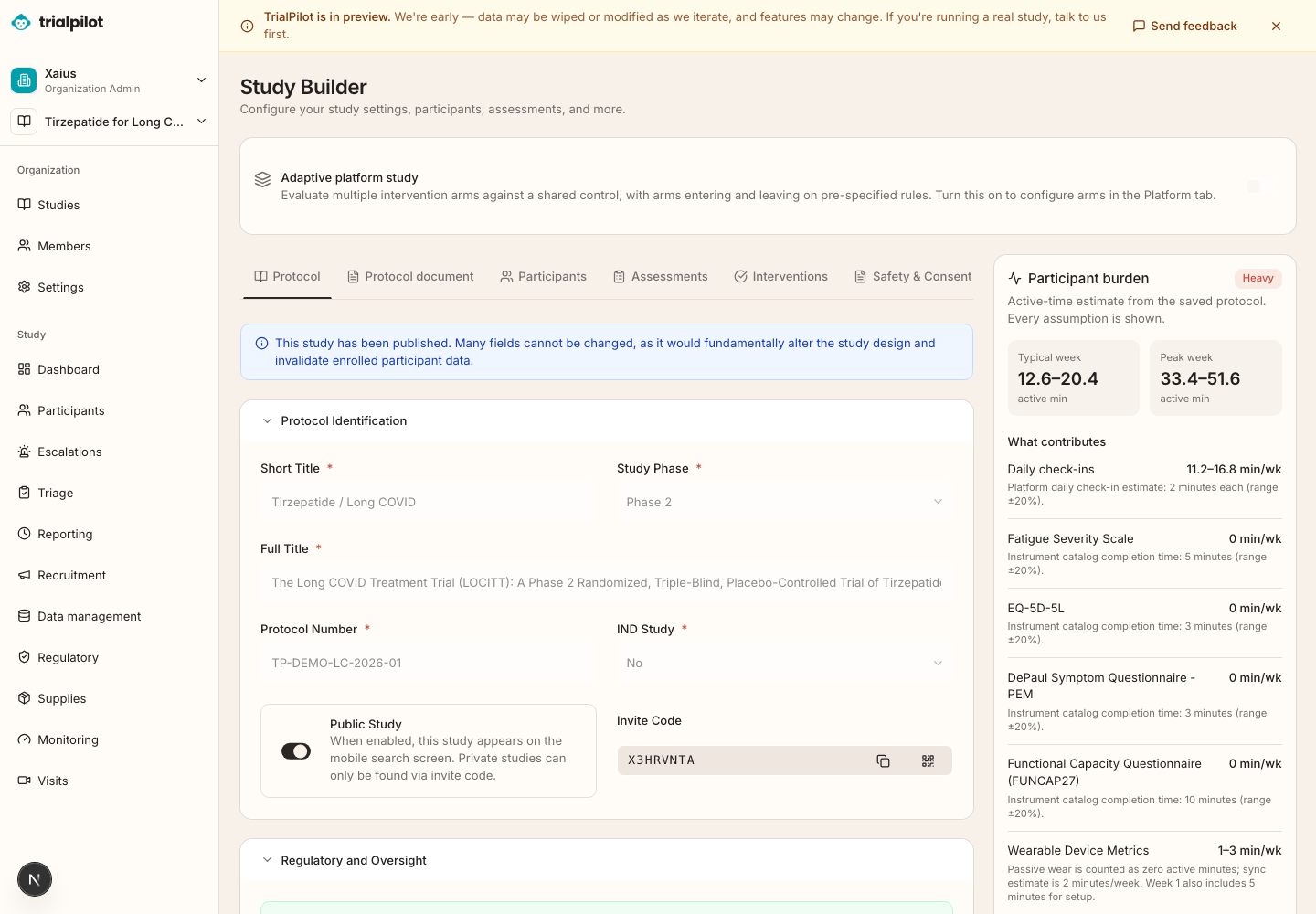
Bring design, eligibility, assessments, consent, and visits into Study Builder. Keep protocol versions and launch requirements in view as the study takes shape.
03 / Beyond the study visit
Participant reports and supported device records offer different perspectives. TrialPilot keeps those observations connected to their context.
Wearables and personal trends
Share supported Apple Health and Health Connect records with permission. Review symptoms and within-person trends alongside what was actually collected.
Participant-led self-trials
Define a question and measures, track observations, and review change over time. Early findings come with uncertainty, so you can keep them in perspective.
In development / Coming next
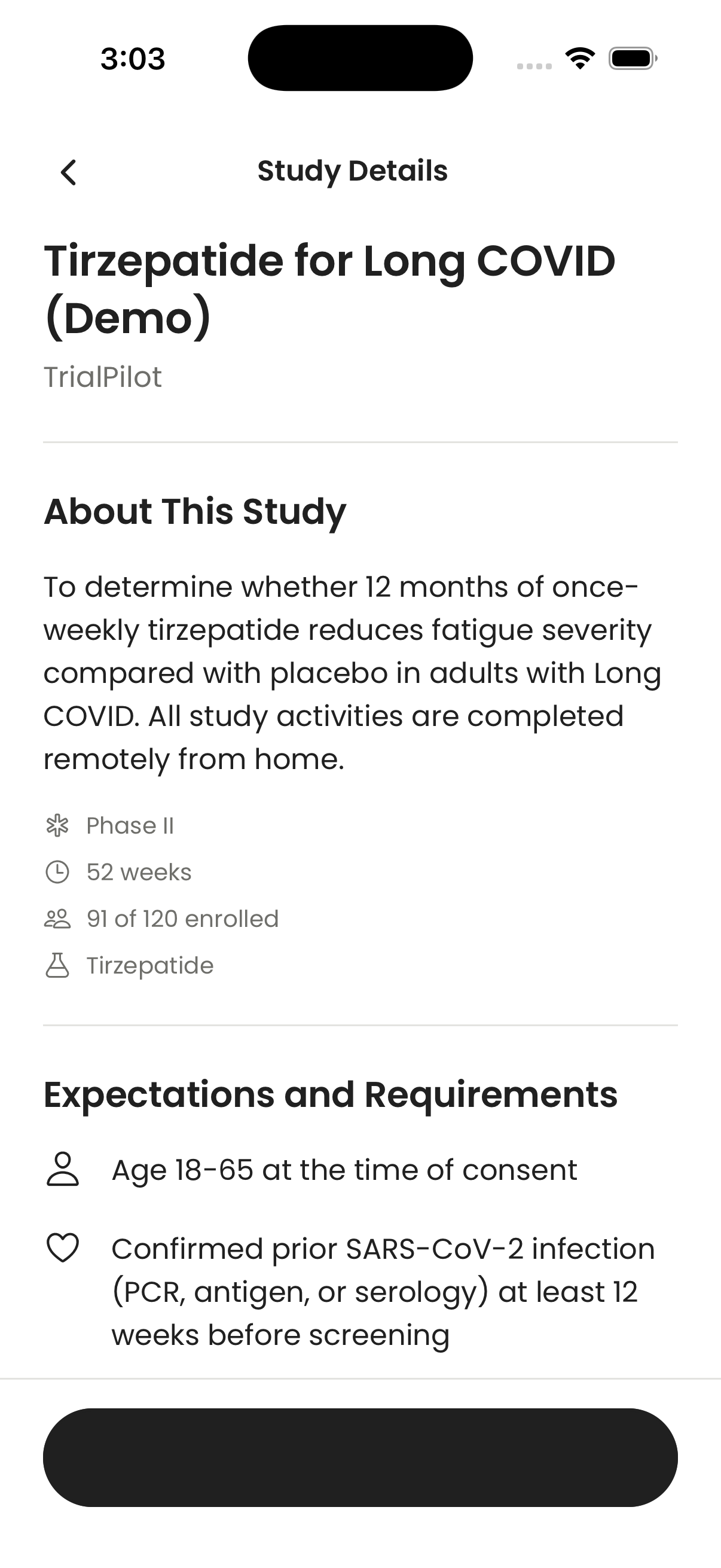
A more flexible activity plan. A clearer week ahead. Help with a visible next step. Here’s a look at the next participant experience.
These features are in development and are not yet released.
Configure questionnaires, check-ins, wearable sharing, visits, intervention logs, supplies, and payments. Optional work stays separate from required completion.
Read the details →See what needs attention, what is coming up, what is waiting, and what is complete. Quiet weeks stay quiet, and saved-on-device work is clearly labeled until received.
Read the details →Offer approved home, site, or local-provider visit options. Participants can request an available alternative for the team to arrange.
Read the details →Give routine requests an owner, acknowledgment, status, and outcome. Participants can follow progress and reopen a request when they still need help.
Read the details →Choose the right activities
DEVELOPMENT PREVIEW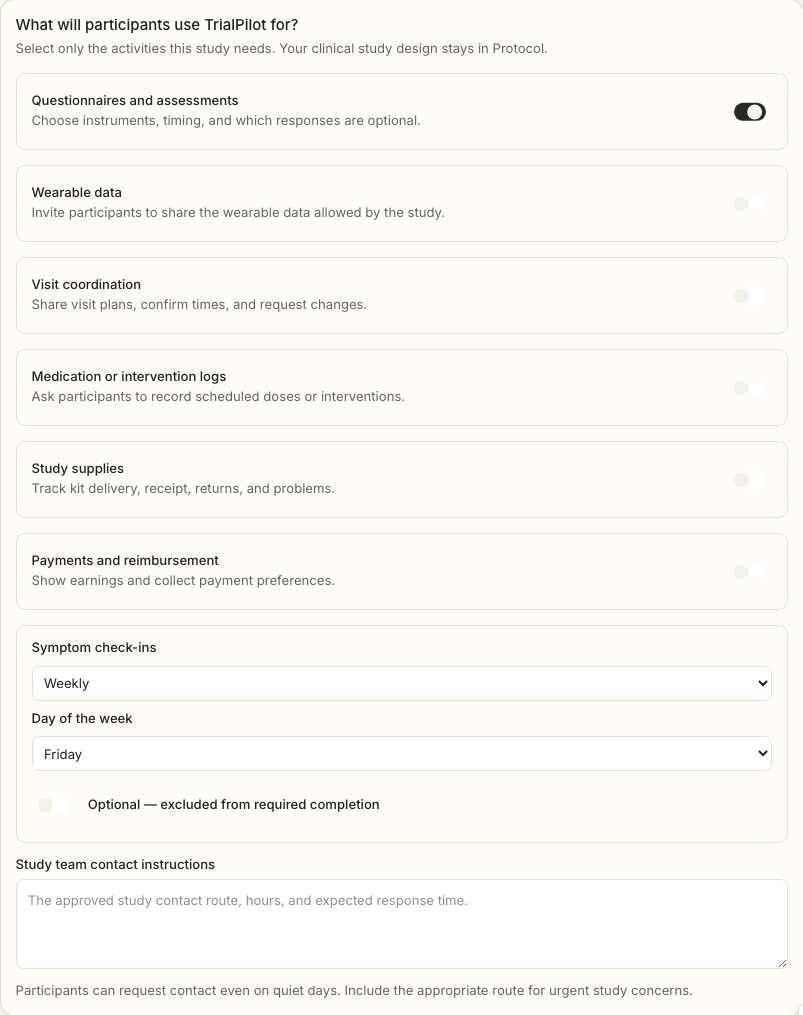
Follow a request through
DEVELOPMENT PREVIEW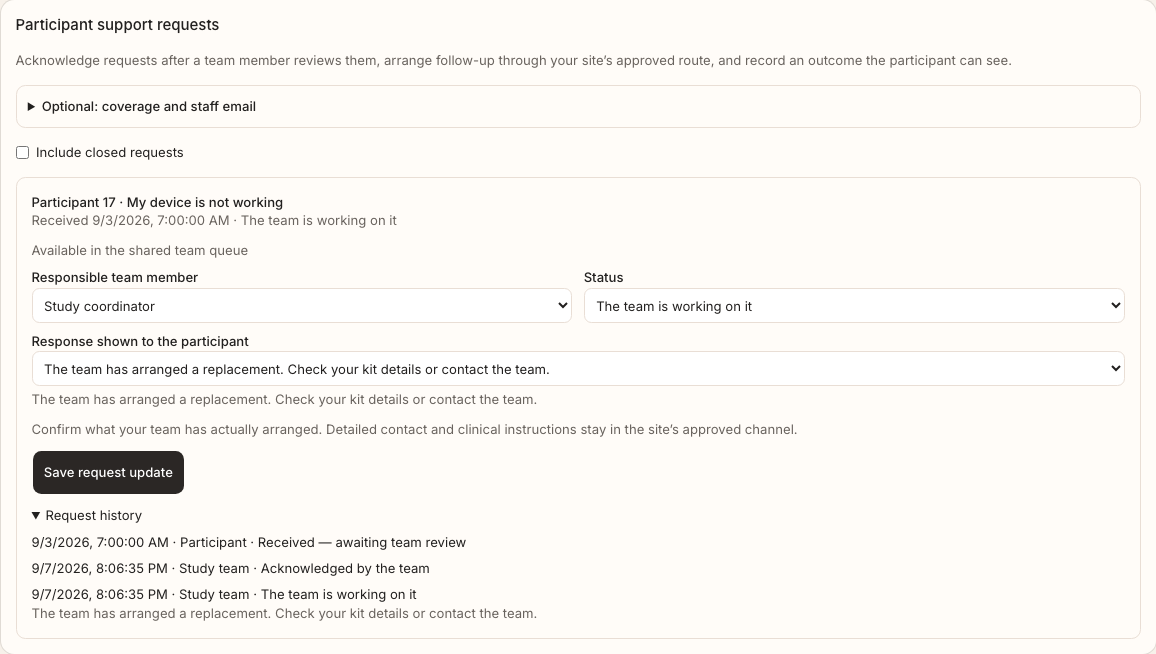
Built to be examined
The people running research should be able to understand the tools they use. The people taking part deserve the same clarity.
Coordinator views use de-identified, study-scoped participant identifiers. Direct participant identity stays behind a separate data boundary.
Protocol versions, review history, queries, and audit exports help a team follow how its study developed. Qualification remains specific to the intended use.
Read the published work behind decentralized approaches. Findings from other studies are context, not measured TrialPilot outcomes.