
The Data management workspace is where a study's dataset becomes a trial-of-record dataset — data managed to the standard where it can serve as the authoritative record of the trial, defensible in an audit or a regulatory submission rather than an operational convenience copy. If you have worked with an EDC (electronic data capture) system before, this workspace plays that role: resolve data queries, complete medical coding, take a controlled database lock, and export submission-ready datasets. Every change remains versioned and audited.
Not every study needs this level of formality. An exploratory or observational study may never open this workspace, and that is fine — the ordinary study dashboard and exports already work on de-identified data. Use Data management when the dataset itself is the deliverable: a trial intended for publication, a sponsor, or a regulator.
The six tabs#
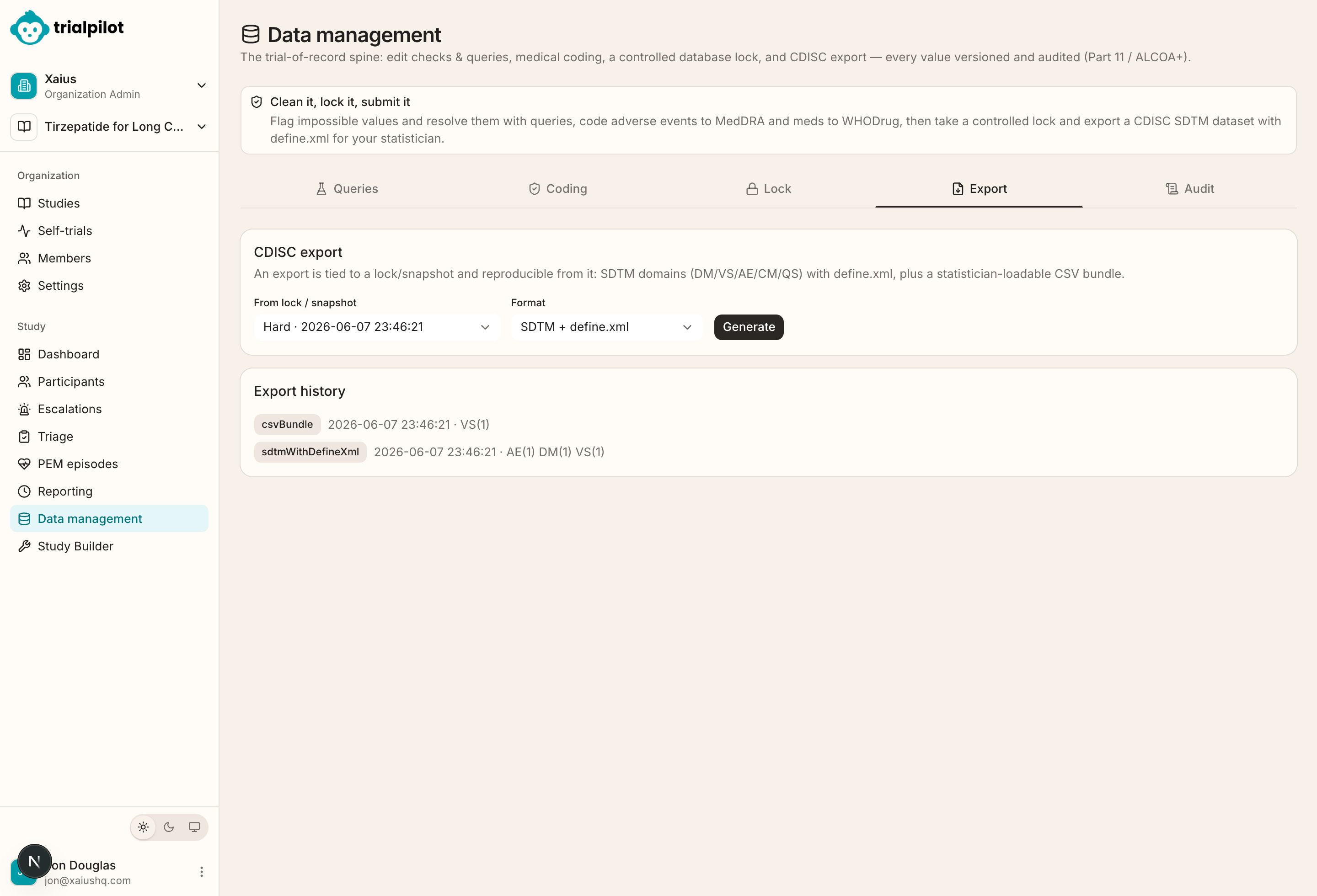
Data management is organized as six tabs, roughly in the order a data manager works through them at the end of a study:
| Tab | What it does |
|---|---|
| Queries | Flag and resolve data issues. A query is a formal question attached to a data value — a suspicious number, a missing entry, an inconsistency — that must be answered and closed before the database can be considered clean. |
| Coding | Review medical coding records. MedDRA and WHODrug dictionary adapters remain placeholders; licensed dictionary access and validation are required before production coding. |
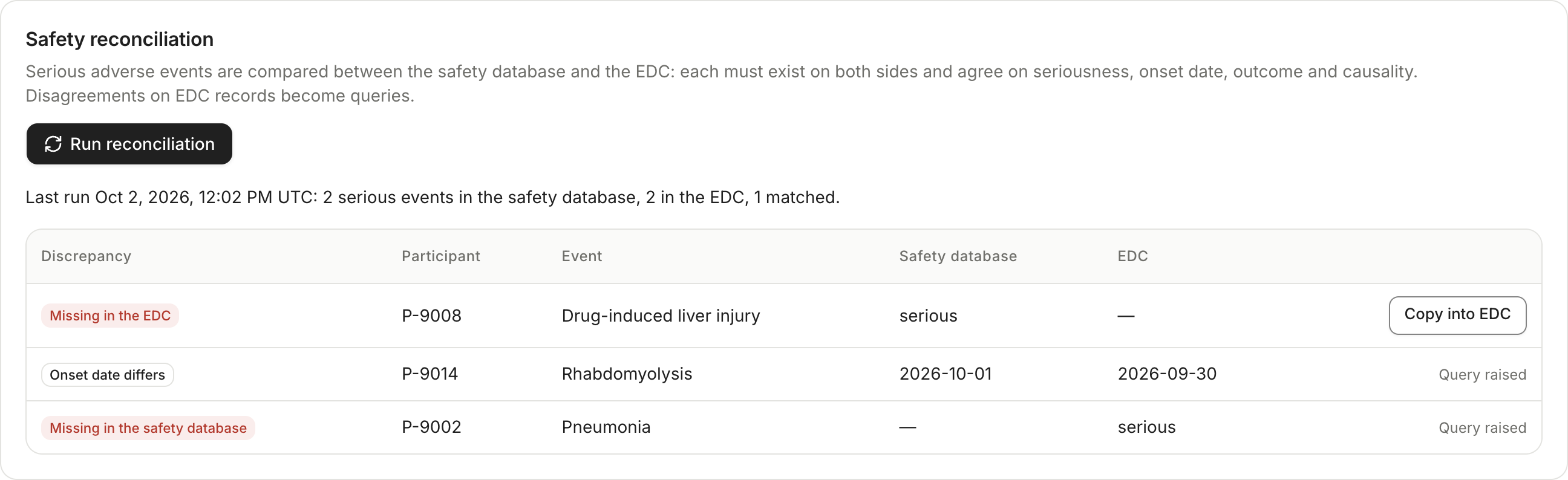
| Safety reconciliation | Compare serious adverse events in the safety database with the adverse events recorded in the dataset. Each one must exist on both sides and agree on seriousness, onset date, outcome and causality. |
| Lock | Manage the controlled database lock: reversible snapshots for interim analyses, the two-signer hard lock, and the study lifecycle lock that governs the whole study once data collection ends. |
| Export | Prepare study datasets, including CDISC-oriented output tied to a specific lock or snapshot so an export is always reproducible. |
| Audit | Review audited data-management activity: who changed what, when, and why. |
Recommended order
The integrity posture#
The workspace is designed around Part 11 / ALCOA+ style expectations — the standards regulators apply to electronic clinical records. In practice that means:
- Values are versioned. Correcting a value does not overwrite it — the earlier version remains part of the record, with the reason for the change.
- Changes are auditable. Data-management activity is recorded with the person, the time, and the stated reason, and the Audit tab shows that trail.
- Significant transitions are signed. Lock and unlock actions require a stated reason and an electronic signature, and the most consequential ones require two different signers.
If ALCOA+ is new to you: it is the acronym regulators use for the qualities good clinical data must have — Attributable, Legible, Contemporaneous, Original, Accurate, plus the “+” qualities of complete, consistent, enduring, and available. Part 11 (21 CFR Part 11) is the U.S. FDA regulation that sets the requirements for electronic records and electronic signatures to be trustworthy equivalents of paper ones. You do not need to memorize either — the point is that the workspace records enough context (who, when, why, and what came before) that the dataset can answer those questions later.
Safety reconciliation#
Serious adverse events live in two places: the safety workflow, where clinicians assess them, and the dataset, where they become part of the trial record. Run Safety reconciliation before you lock. TrialPilot lists every disagreement:
- An event in the safety database but missing from the dataset. You can copy it in, sourced from the safety workflow, unless the database is hard-locked.
- An event in the dataset but missing from the safety database.
- An event on both sides that disagrees on seriousness, onset date, outcome or causality.
Disagreements on dataset records become queries, once each. TrialPilot never decides which side is right. Each run is stored and audited, so you can show when the two last matched.
Queries and coding in practice#
Queries are how a data manager challenges the data without touching it. Rather than silently correcting a value, you raise a query against it, the responsible person answers, and the resolution — with any resulting change — is recorded. The Lock tab surfaces open-query counts as a readiness signal, so an unresolved query is visible right up to the moment you consider locking.
Coding records support review of standardized terms, but the current dictionary adapters are placeholders. Do not treat demonstration codes as validated MedDRA or WHODrug output. A licensed, qualified dictionary connection and a reviewed coding process are required. See Exports and CDISC.
Locking#
The Lock tab carries two related instruments. Dataset snapshots and locks freeze the managed dataset — a soft snapshot for an interim look, a hard lock for the final freeze — and every export is generated from one of them. The study lifecycle lock is the broader gate over the whole study: it moves the study through data cleaning, soft lock, and hard lock, and once hard-locked the study refuses further changes while reads and exports keep working. Lifecycle locking, the two-signer rule, and what happens to late-arriving participant data are covered in depth in Locking and closeout.
De-identified, like everything else