
The Researcher Dashboard is the operating workspace for study teams. It brings study setup, participant monitoring, safety review, and data preparation into one de-identified view, so coordinators and investigators can move from protocol design to day-to-day operations without switching tools.
De-identified means the dashboard is built for teams that operate a trial without viewing participant personally identifying information. Participant-facing data appears under study-scoped pseudonymous IDs such as P-0001 — see the privacy model for how that separation works. The exact options you see depend on your organization role, enabled sign-in methods, and whether the active study is still in draft or has already been published.
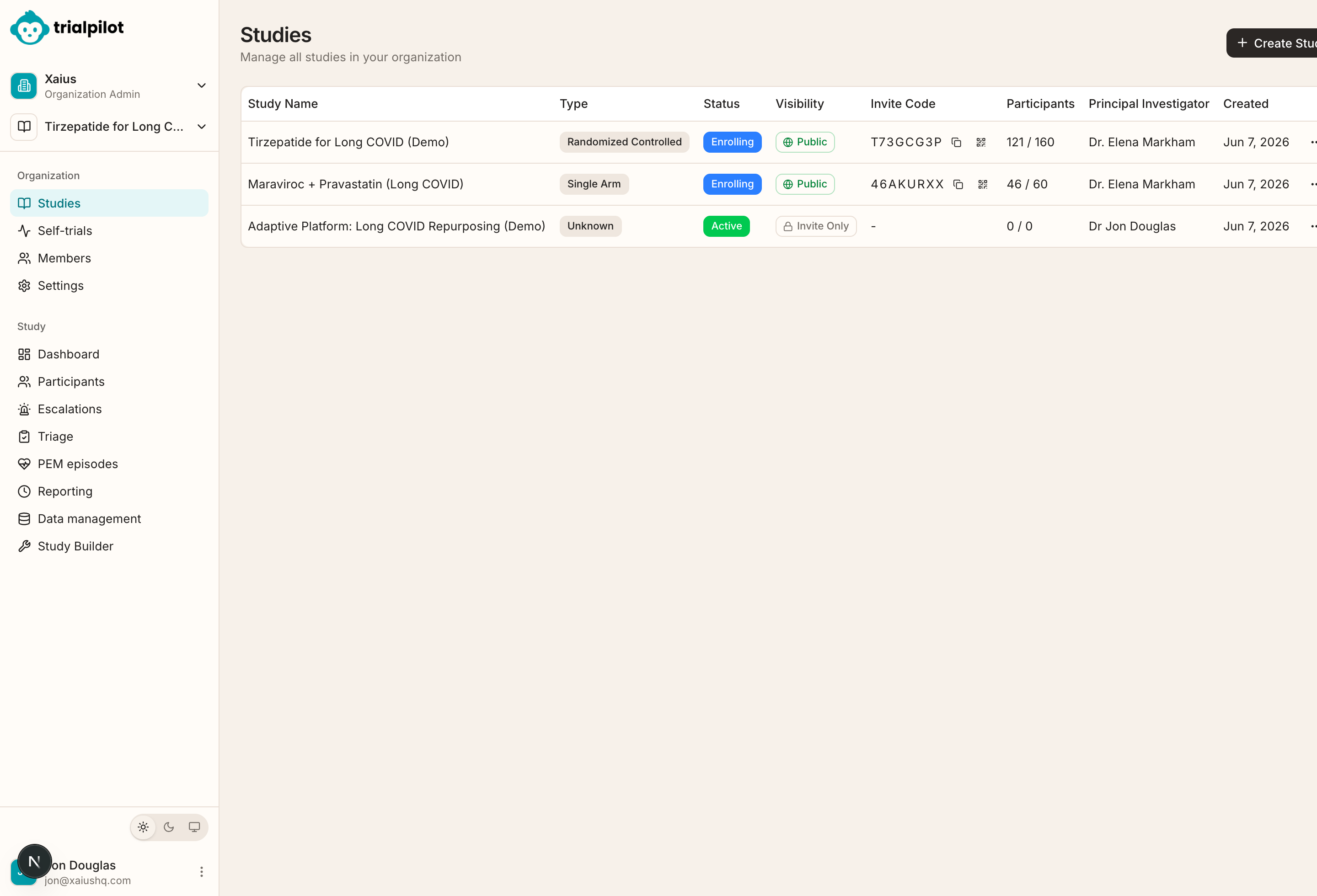
The lifecycle of a study#
Every study moves through the same broad phases, and the dashboard has a workspace for each. Reading them in order is the fastest way to build a mental model of the product.
- Set up your workspace. Register, create or join an organization, and invite your team with the right roles. See Accounts and organizations.
- Build the study. Work through the Study Builder — protocol, participants, assessments, interventions, consent, and regulatory profile — starting from a curated template or a blank study. See Build a study.
- Rehearse in test mode. Every draft study is a sandbox: your team enrolls with a TEST code and lives the real participant experience before anything is real. See Test mode.
- Publish and recruit. Validate the configuration, publish for enrollment, and recruit through invite codes, links, QR codes, or the research registry. See Publish and recruit.
- Monitor participation. Track enrollment, completion rates, engagement, and wearable coverage — per cohort and per pseudonymous participant. See Monitor participants.
- Run safety operations. Work escalations, triage symptom reports, and manage adverse events with their reporting clocks. See Safety operations.
- Manage the data. Resolve data queries, code events and medications, and prepare exports from the trial-of-record dataset. See Data management.
- Lock and close out. A controlled database lock protects the final dataset; late-arriving data is quarantined, never silently merged. See Locking and closeout.
First-study checklist#
Running your first study end to end touches most of the dashboard. This is the recommended order.
- Register or log in.
- Create or join an organization.
- Complete organization settings, including contact and IRB details.
- Invite study-team members and assign roles.
- Create a study.
- Complete the Protocol tab.
- Complete Participants criteria and sample size.
- Add assessments and configure their schedules.
- Configure interventions and dosing.
- Complete Safety & Consent.
- Complete the Regulatory profile.
- Configure randomization or adaptive platform settings when applicable.
- Configure localization when needed.
- Review the study for publishing.
- Publish the study.
- Share the invite code or run recruitment feasibility.
- Monitor enrollment, participant completion, wearable coverage, and safety queues.
- Use reporting, regulatory, and data-management workspaces throughout the study.
All study-team guides#
Accounts and organizations
Register, sign in, create or join an organization, invite your team, and manage organization settings.
Build a study
Create a study and work through the Study Builder: protocol identification, study design, team, objectives, and participant criteria.
Study templates
Start from a curated, versioned template instead of a blank protocol, then customize it to your study.
Assessments and schedules
Choose instruments, configure baseline, daily, weekly, and custom-week schedules, and see how they become participant tasks.
Interventions and dosing
Define the study product, comparator, administration details, and dose escalation schedule.
Consent and ethics setup
Configure eConsent content, IRB and ethics information, adverse event definitions, and safety oversight.
Randomization and blinding
Configure arms, generate or upload allocations, lock the schedule, randomize participants, and manage emergency unblinding.
Adaptive platform studies
Evaluate multiple arms against a shared control: frozen interim cuts, a SAC and DSMB with separate jobs, bounded adaptations, arm sponsors, and cost per arm.
Test mode
Every draft study is a sandbox. Rehearse the full participant experience with test data that never mixes with real data.
Publish and recruit
Validate the study, publish it for enrollment, and recruit through invite codes, links, QR codes, and the research registry.
Monitor participants
Track enrollment, completion, engagement, wearable coverage, per-site risk, and operational clocks without seeing identities.
Safety operations
Work escalations, triage symptom reports, manage adverse events end to end, and keep reporting clocks on time.
Data management
Trial-of-record workflows: data queries, coding review, safety reconciliation, controlled database lock, and audit. Licensed dictionary connections require qualification.
Exports and CDISC
Export de-identified study datasets, trial-of-record data, and CDISC-oriented output.
Regulatory workspace
Manage IRB and IEC submissions, amendments, reportable events, and the enrollment activation gate.
Locking and closeout
What happens when a study locks: protected data, quarantined late arrivals, and the path to closeout.