
The TrialPilot mobile app is the participant workspace for a study. It helps you join, consent, complete tasks, share wearable data when you choose, and see your own results without turning every research moment into a clinic visit.
- Home
- See what needs attention today.
- Trends
- Review symptom, activity, wearable, pacing, and result trends.
- More
- Manage studies, registry participation, health profile, reports, privacy, support, and account settings.
- Studies
- Browse public studies, enter invite codes, review details, give consent, and see completed-study results.
- Self-trials
- Run a structured personal experiment with clearer guardrails than a notes app or spreadsheet.
Getting started
Download and open TrialPilot
TrialPilot is built for iOS and Android. If you are joining through a study team, you may receive a study link, QR code, or invite code. Public studies can also appear in the app when discovery is enabled.
Create an account or sign in
- Open the app.
- Review the welcome screens.
- Create an account or sign in.
- Review the platform consent screen.
- Complete the required profile setup.
- Choose notification and email preferences when asked.
Your account can use email/password or supported external sign-in methods when enabled. Passwords must be at least 8 characters when you create or change one.
Complete your health profile
The health profile helps studies understand whether you may be eligible and gives your own reports more context. You can return to More > Health Profile later to update many of these details.
- Name and date of birth.
- Sex and gender.
- Weight and height.
- Background, ancestry, and ethnicity.
- Chronic conditions and medications.
- Diet, allergies, activity, and activity duration.
- Health goals and symptoms you want to track.
Joining a study
Find a study
You can join a study in a few ways:
- Tap a study link shared by a research team.
- Scan a study QR code.
- Enter an 8-character invite code for a private study.
- Browse public studies when discovery is enabled.
Review details and give consent
Before joining, review what the study is asking you to do, how long participation lasts, whether wearable data is requested, and how the study team may follow up. If you choose to join, TrialPilot records consent online at that moment. If your connection drops, the app asks you to reconnect before enrolling.
Connect wearable data when needed
Some studies ask for wearable or phone health data. TrialPilot supports Apple Health on iOS and Health Connect on Android where available. The app may suggest connecting health data before you start so baseline history can count toward the study, but this never replaces consent.
Your home screen
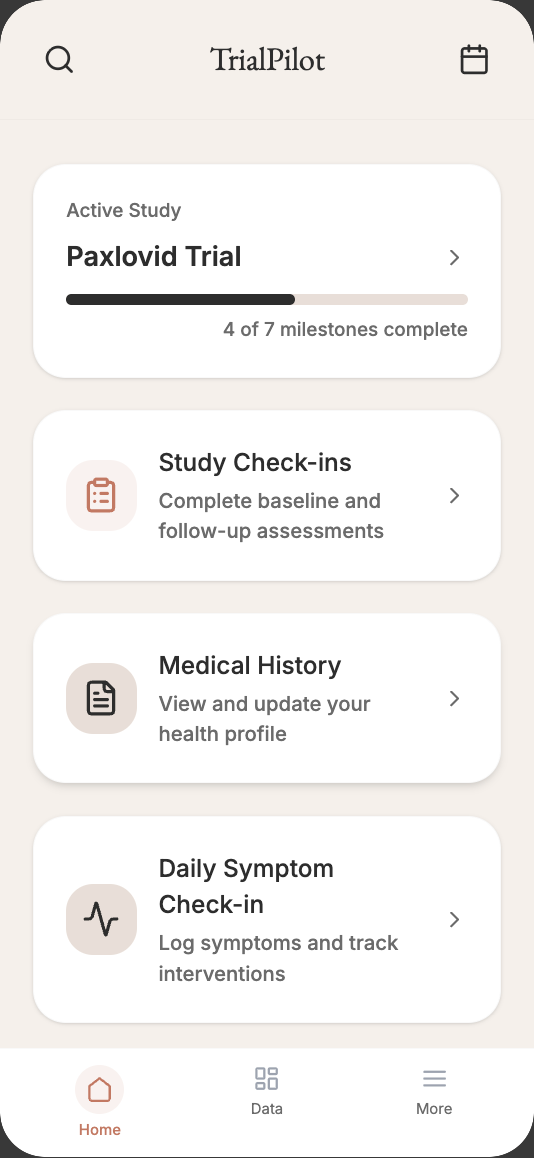
Home is the daily starting point. It shows the active study, key tasks, reminders, self-trial cards, and actions that help you keep the study moving.
Today
Open assessments, daily check-ins, medication tracking, and study tasks that need attention.
Navigation
Jump to calendar, study timeline, study search, study history, symptom reporting, and self-trials.
Assessments and check-ins
Complete assessments
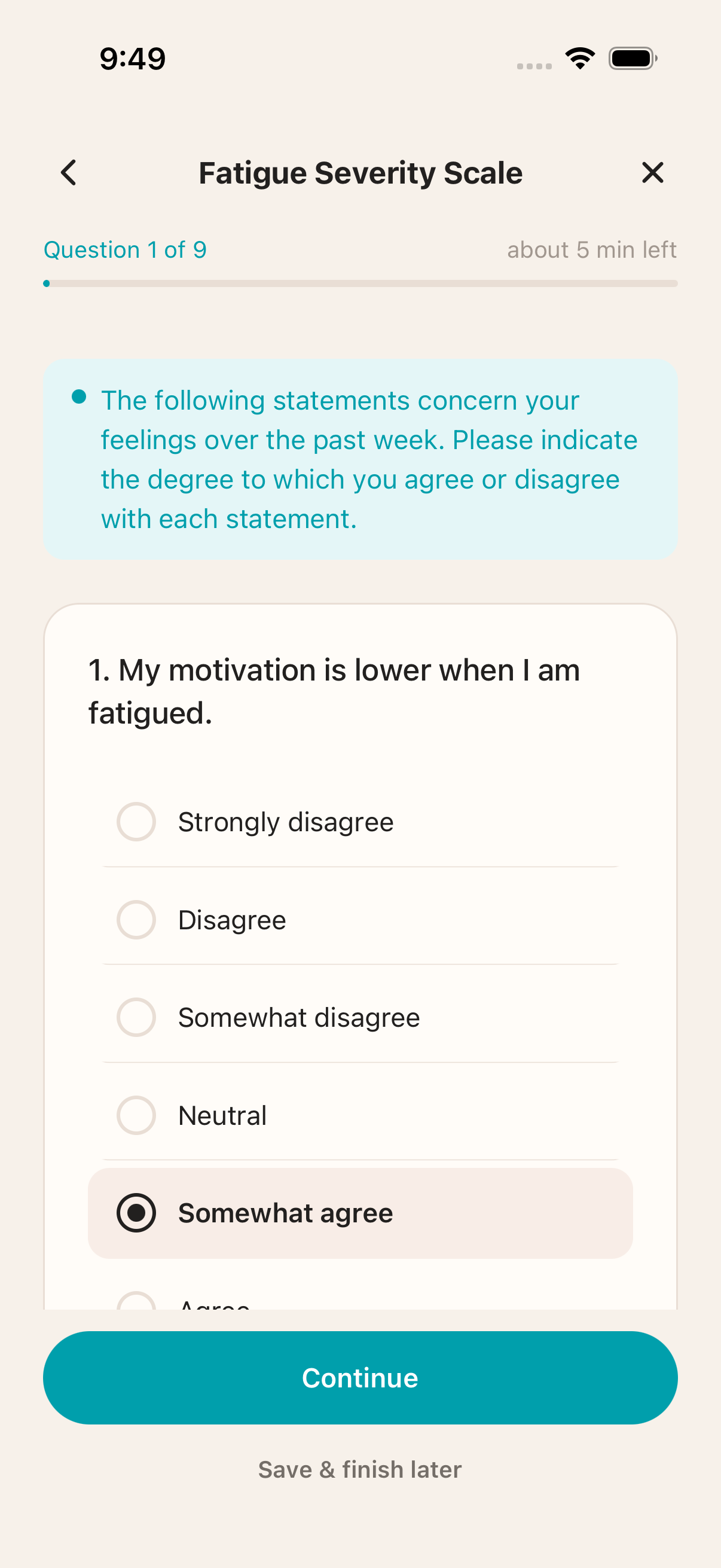
- Open the assessment from Home or the assessments list.
- Review the estimated time.
- Select Start or Resume.
- Answer each question.
- Submit when complete.
Assessments can be baseline tasks, daily tasks, weekly tasks, custom-week tasks, or one-time tasks. If you need to pause, TrialPilot can keep your progress so you can resume later.
Complete daily check-ins
Daily check-ins are designed to be short. A study may ask about overall symptoms, post-exertional malaise, and specific symptoms selected by the protocol. The app may prefill yesterday's answers so you can quickly adjust what changed.
Guided physical assessments
Some studies include guided physical assessments such as NASA Lean or sit-to-stand style tasks. These screens may use timers, heart-rate capture, sounds, and live readings when supported by your device. Follow the study instructions and stop if you feel unsafe or the protocol tells you to stop.
Wearables and health data
What TrialPilot can read
TrialPilot can read data from Apple Health or Health Connect when you choose to connect it. It reads this data for research and trends; it does not write data back to Apple Health or Health Connect.
- Heart rate and resting heart rate.
- Heart-rate variability.
- Respiratory rate and blood oxygen.
- Body or wrist temperature.
- Sleep stages.
- Steps, distance, energy, and walking mobility.
Manage sharing
From More > Health data, you can:
- Connect Apple Health or Health Connect.
- Sync now and see the last sync time.
- Review what data categories are shared with your study.
- Open your platform health app to adjust permissions.
- Stop syncing on this device.
Trends and results
Trends
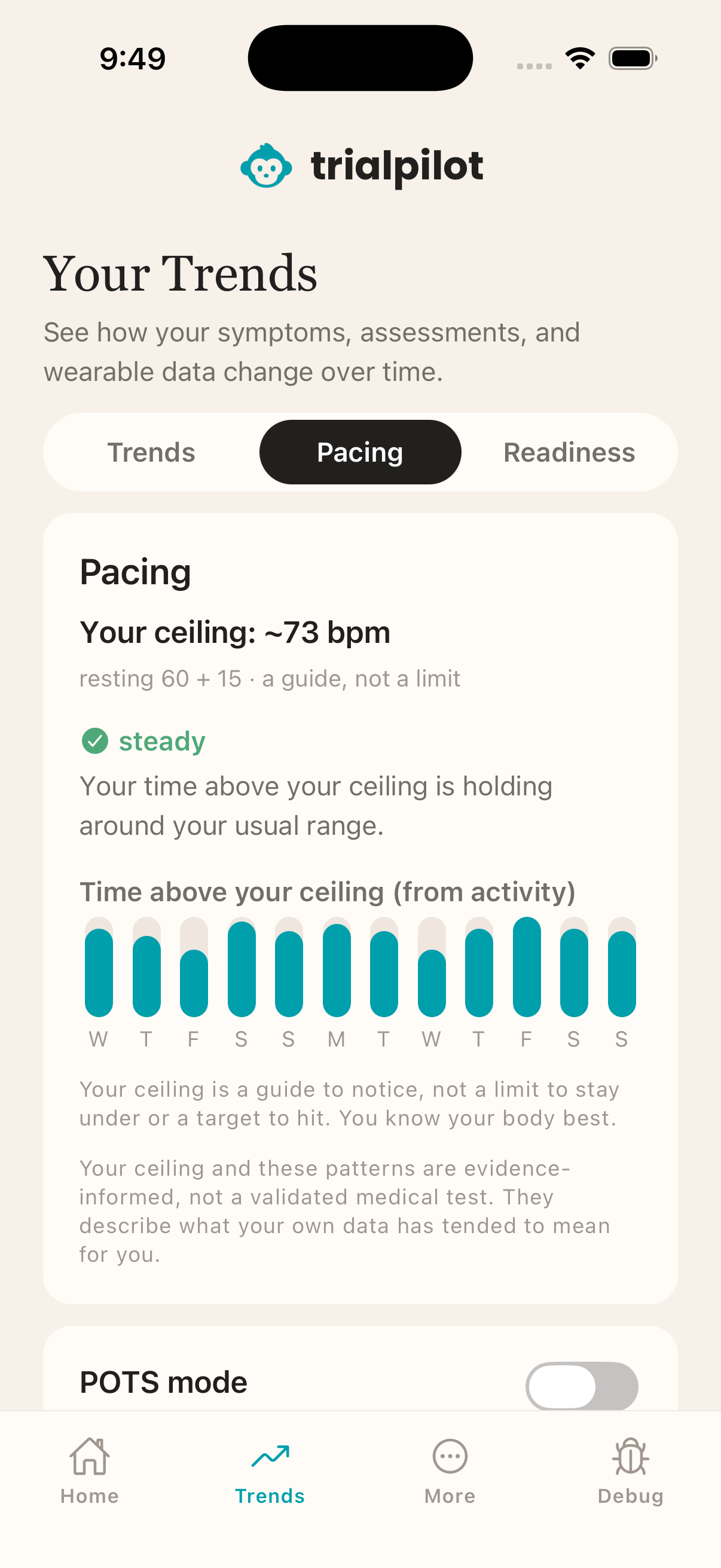
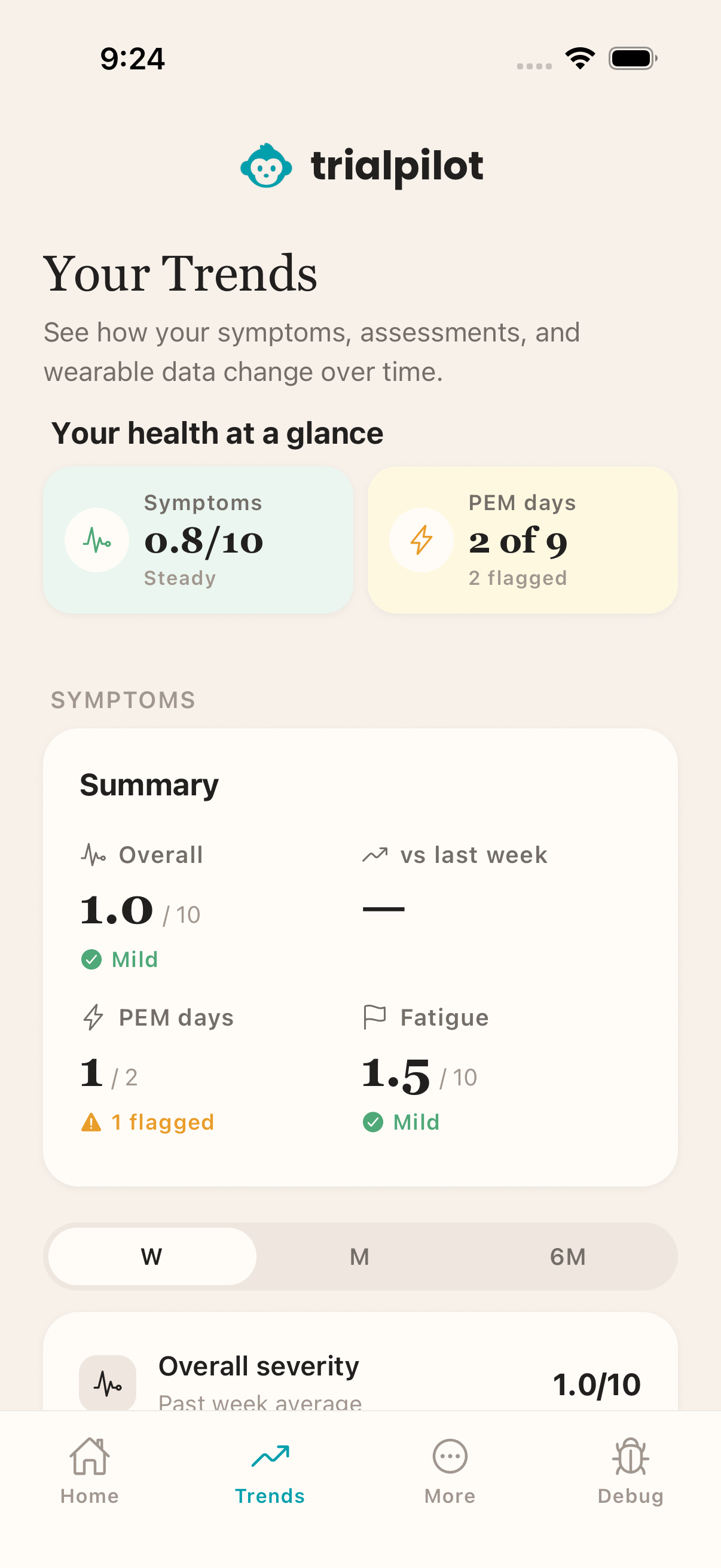
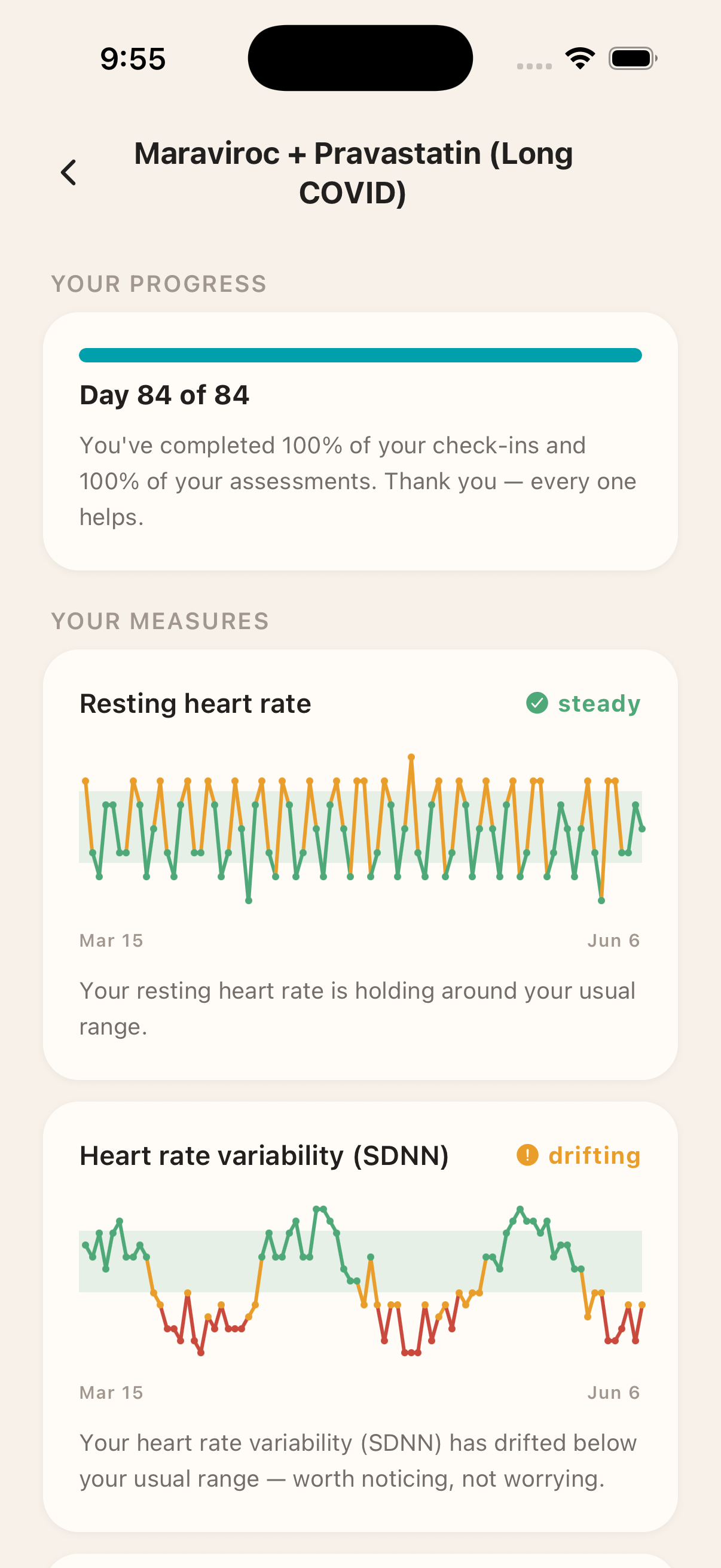
The Trends tab gives you a calmer way to see what your data is doing over time. Depending on your study and connected devices, trends may include symptoms, activity, wearable measures, pacing, and assessment results.
Pacing and results
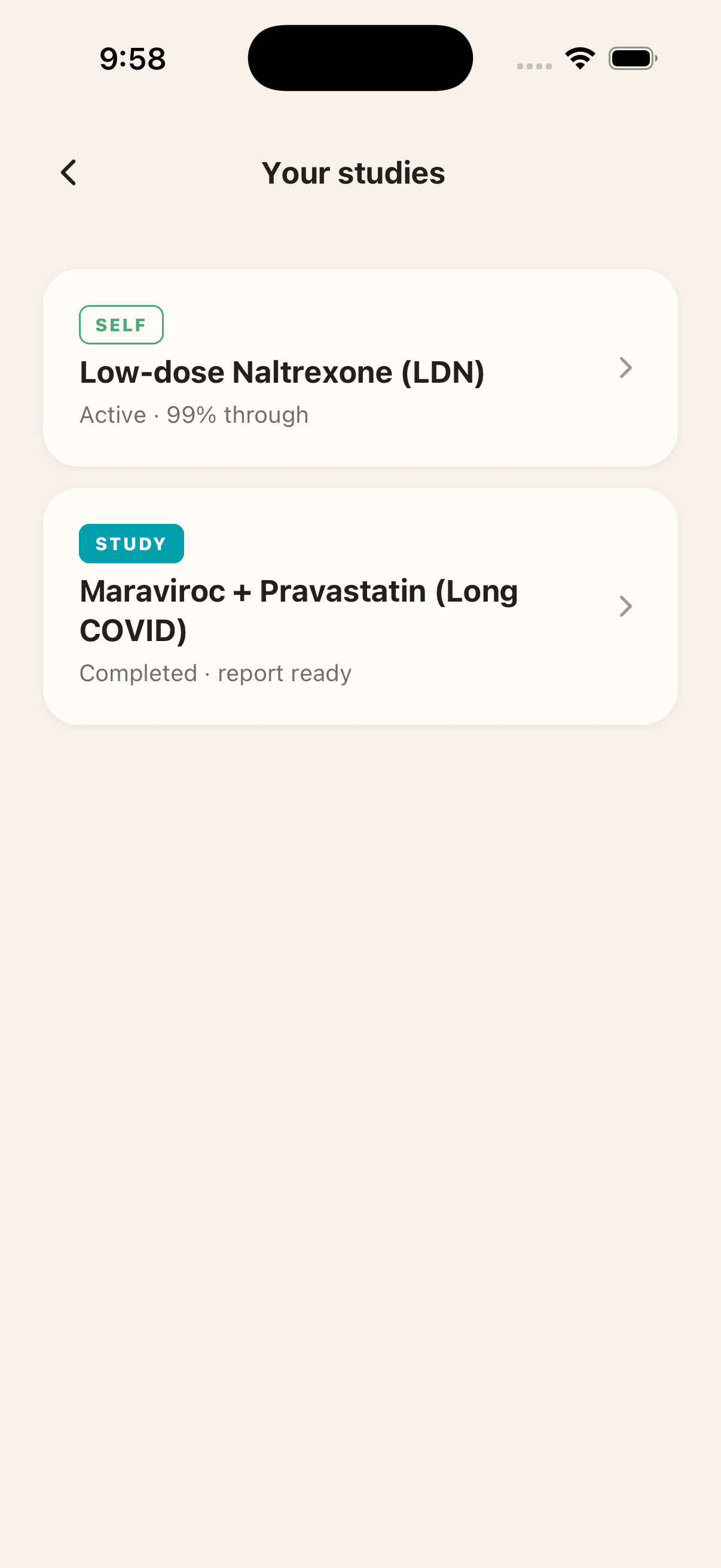
For energy-limiting illnesses, pacing views can help you understand days when your body may be more taxed. When a study is complete and results are available, you can reopen them from More > Your studies. Results are written to be understandable, but they should not replace medical advice from your clinician.
Symptom reporting and safety
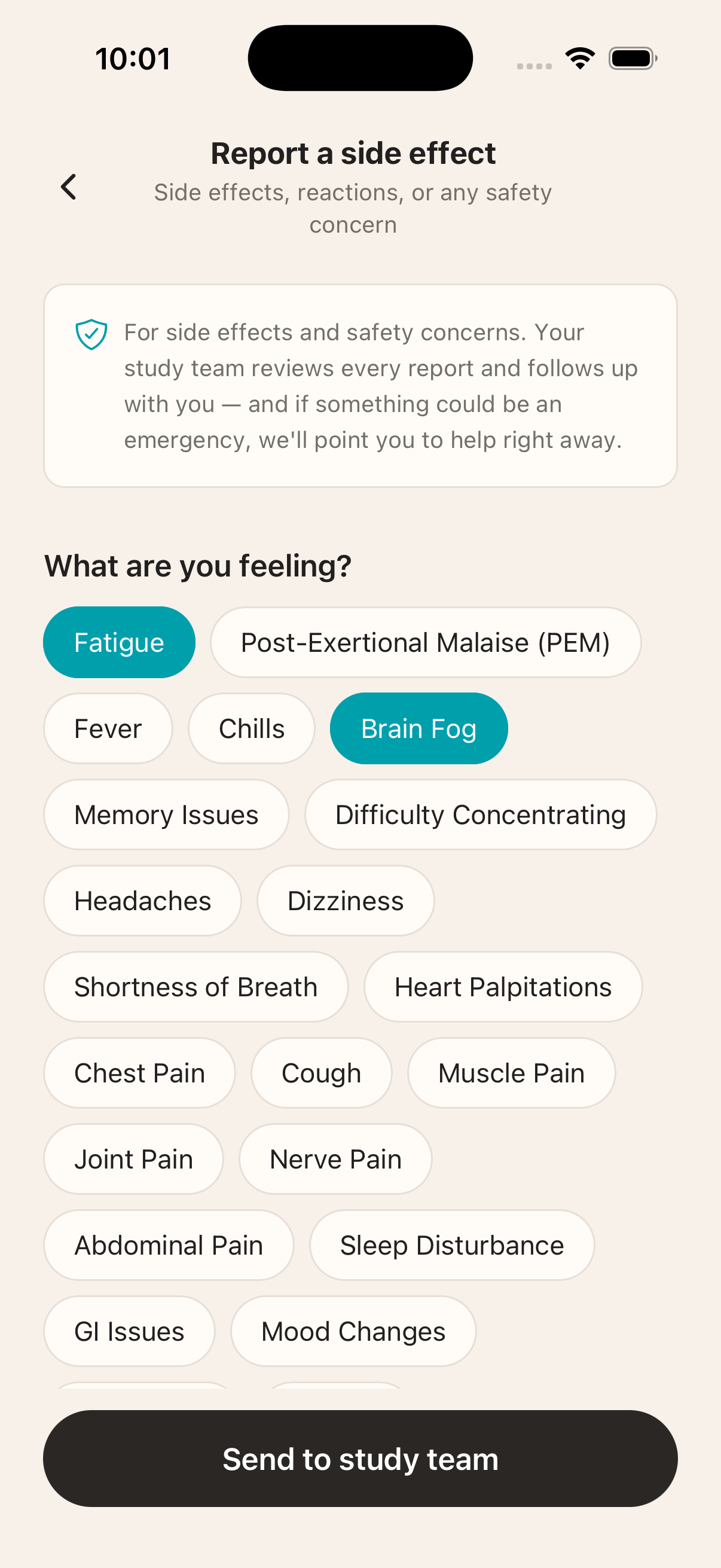
TrialPilot includes symptom reporting flows for problems, post-exertional malaise, and study safety signals. Depending on the study setup, you may be able to report a new or worsening symptom, capture a PEM episode, add severity and context, receive emergency guidance when a red-flag pattern is detected, and acknowledge that a report was submitted.
If you are experiencing an emergency, use local emergency services. TrialPilot is not a substitute for urgent medical care.
Self-trials
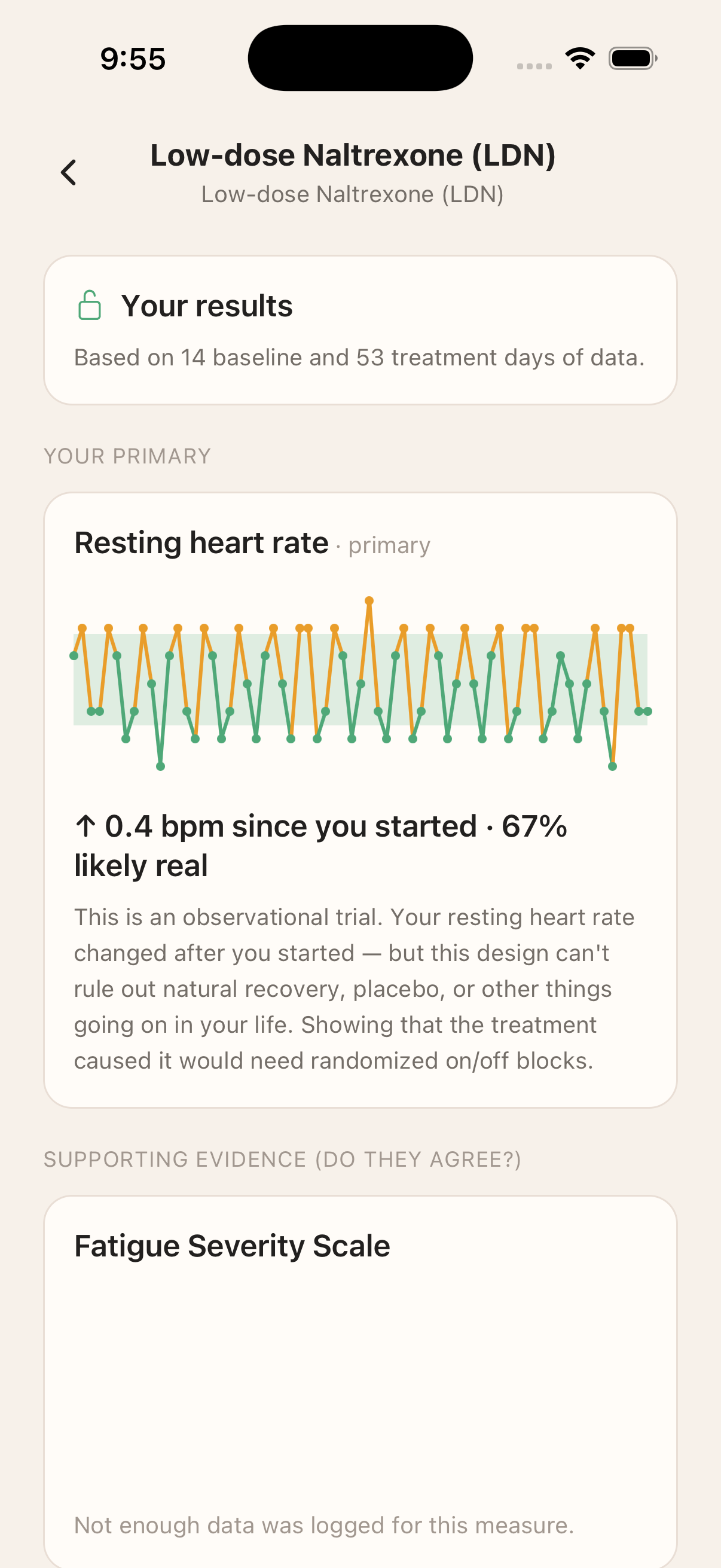
Self-trials let you run a structured personal experiment inside the app. Use one when you want to test a change that matters to you, such as a routine, pacing strategy, supplement, or other personal intervention.
TrialPilot helps structure the trial, collect repeated measures, and report results with guardrails so a hopeful trend is not treated as proof. You decide whether a self-trial stays private or contributes aggregated, consented findings to the wider community when that option is available.
Privacy, account, and support
More
Open More to manage your account and preferences.
- Your studies and registry participation.
- Health profile and shareable health reports.
- Notifications, reminder times, and email updates.
- Theme, support, FAQ, About, Privacy, and Terms.
- Password, data download, account deletion, and sign out.
Offline and sync behavior
TrialPilot is designed to be honest about connection state. Reading saved study information can continue when the network is unstable, and some app actions can be saved and synced later. Consent, account deletion, and password changes need an internet connection.
Use More > Sync & saved data when you need to review pending or saved entries.
Patient checklist
- Download and open TrialPilot.
- Create an account or sign in.
- Review platform consent.
- Complete required profile setup.
- Choose notification and email preferences.
- Join a study by link, QR code, invite code, or discovery.
- Review study details.
- Read and accept study consent if you choose to enroll.
- Connect Apple Health or Health Connect when a study asks for wearable data.
- Complete baseline tasks.
- Check Home for today's study tasks.
- Complete assessments and daily check-ins.
- Report symptoms or PEM episodes when needed.
- Review Trends as data becomes available.
- Open Your studies to revisit active and completed studies.
- Manage privacy, data export, support, and account settings from More.